Rapid game prototypes
Turn a mechanic, genre, or story idea into something playable without first setting up an engine, codebase, and asset pipeline.
Independent tool overview
Rosebud AI Gamemaker turns plain-language ideas into playable browser games, generating editable code, art, sound, and game systems in one workspace.
Visit the official Rosebud AI Gamemaker site ↗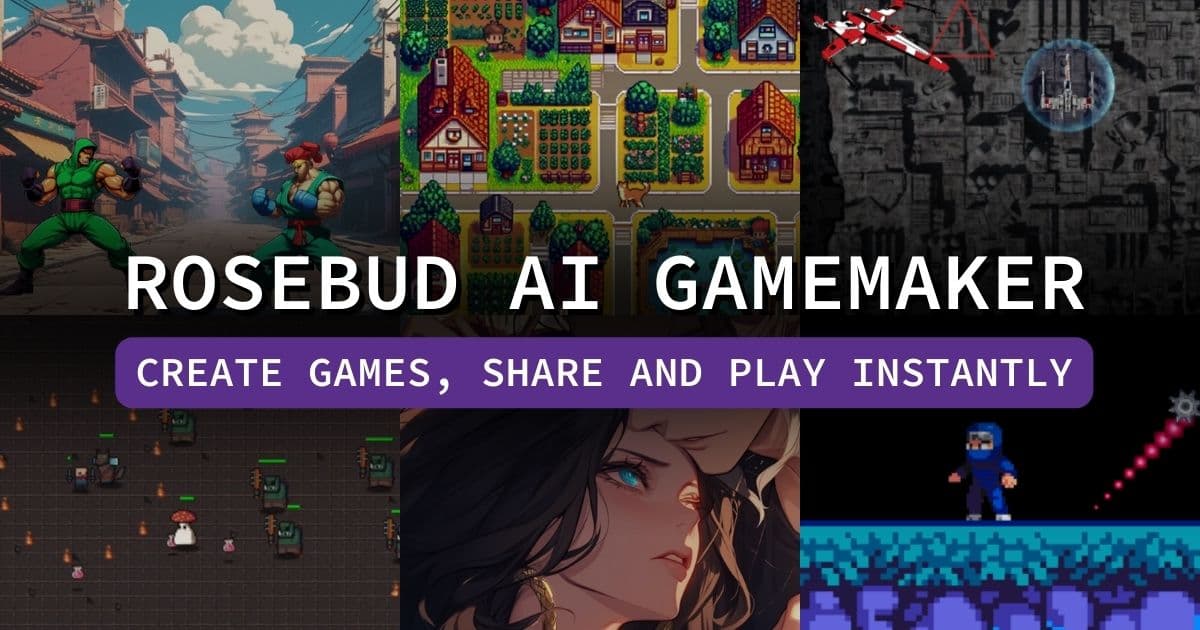
Overview
Rosebud AI Gamemaker is a browser-based game creation platform for people who want to prototype or publish games by describing what they want in plain language. It generates the game code alongside visual and audio assets, then lets you playtest and revise the result through chat instead of assembling a project across a traditional engine and several asset tools.
The platform supports 2D games, Three.js-powered 3D experiences, voxel worlds, visual novels, RPGs, racing games, puzzles, multiplayer projects, and AI-controlled characters. Generated JavaScript remains visible and editable, so experienced creators can work directly in the code while beginners can stay in the conversational workflow.
Rosebud is strongest for fast, web-first experiments and solo projects. Publishing a shareable web version is built in, and Rosebud also advertises a Windows desktop export. Creators planning to sell a game should review the subscription and legal terms closely: the free service is non-commercial, paid access grants commercial-use rights, and Rosebud says it takes no commission from game earnings.
Use cases
The strongest fit depends on the job you need the product to complete, not the size of its feature list.
Turn a mechanic, genre, or story idea into something playable without first setting up an engine, codebase, and asset pipeline.
Build through conversational instructions while inspecting the real JavaScript Rosebud generates.
Create, test, remix, and publish games through a browser with a shareable link.
Combine branching narratives, generated assets, and NPCs with responsive dialogue and memory.
Capabilities
Describe the genre, mechanics, mood, or art direction and Rosebud generates a working game that can be played immediately.
Rosebud exposes the generated code, giving developers a path to inspect or manually change behavior instead of relying only on prompts.
Build sprite-based games, Three.js browser worlds, or voxel-style experiences across a range of genres.
Generate sprites, animations, tilesets, 3D models, skyboxes, music, and sound effects inside the same creation flow.
Add systems such as procedural quests, adaptive difficulty, dynamic worlds, or characters with responsive dialogue and memory.
Rosebud promotes co-op, player-versus-player, ranked, and persistent multiplayer experiences rather than limiting projects to single-player demos.
Publish a game to the web with a shareable link or remix an existing public project as a starting point.
Package eligible projects as a Windows desktop build in addition to Rosebud's browser-based publishing.
Process
Step 1
Start with a genre, mechanic, visual style, story premise, or a combination of those elements.
Step 2
Let Rosebud create the initial code and assets, then run the playable result directly in the browser.
Step 3
Request changes in plain language, regenerate assets, or open the JavaScript to make precise edits.
Step 4
Share the hosted web version, and use the available export options when the project is ready to distribute elsewhere.
Cost
Rosebud offers free creation for personal, non-commercial use and paid access for commercial projects. Its public pricing FAQ directs users to My Plan inside Rosebud for current paid prices, so confirm the live amount before subscribing.
$0
A starter option for creating, playing, editing, and sharing non-commercial projects.
See current in-app price
Adds more AI usage, larger projects, and the rights needed to commercialize Rosebud-created games and assets.
Pricing checked . Check current pricing at the source ↗
Assessment
Compare
The right alternative depends on the specific output, workflow, controls and budget your project requires.
Coding
Better suited to generating general web apps and sites when the project is not primarily a game.
Explore Lovable →Coding
A stronger choice for creators who want a broader coding agent, hosted development environment, and deployment workflow.
Explore Replit Agent →Coding
Useful for quickly creating full-stack web applications from prompts with more emphasis on standard app development.
Explore Bolt.new →Questions
Yes. Rosebud offers a free plan for creating and sharing games, but its terms limit free usage and free-plan creations to personal, non-commercial purposes.
Yes, if you used a paid Rosebud subscription that includes commercial-use rights. Rosebud says paid creators can sell or monetize their games and assets and that it takes no commission from their earnings.
No. You can build and revise a game through plain-language prompts. Rosebud also exposes the generated JavaScript for people who want to inspect or edit it.
Rosebud supports 2D, Three.js 3D, and voxel games across genres including RPGs, platformers, visual novels, puzzles, racing games, horror, and multiplayer experiences.
Rosebud can publish games to the web with a shareable link and advertises a Windows desktop export. Confirm the current export availability for your plan before committing to a distribution workflow.
Rosebud's current terms say the company owns materials generated through the service and grants paid users the right to commercialize their UGC. The same terms also give Rosebud broad licenses over user content, so commercial teams should review them directly.
Bottom line
Rosebud AI Gamemaker is one of the most direct ways to turn a game idea into a playable browser project without assembling a conventional development stack. It is especially compelling for prototypes, learning, interactive stories, and solo web games. Use the free plan to test whether the generated code and assets meet your needs, then review the current in-app price and content terms before moving a commercial project onto a paid plan.
Visit Rosebud AI Gamemaker website ↗
Get access to all our AI courses, hundreds of real-world AI use cases, live expert-led workshops, an exclusive network of AI early adopters, and more.
Get unlimited access to all of our current & upcoming industry-specific AI courses for the duration of your subscription.
To keep up with the rapid pace of AI, our team publishes AI implementation guides daily. Our library contains 300+ practical use cases to automate real-world work.
Join weekly, live, interactive sessions with industry leaders who are at the forefront of AI for hands-on implementation guidance and exclusive insights.
Network with an exclusive community of AI-first professionals who are working smarter with AI. Learn how early adopters are using AI in their work and businesses.


